

Table of Contents
- Quick Comparison: Best AI Home Decor Tools at a Glance
- How We Evaluated the Best AI Tools for Custom Home Decor
-
Best AI Tools for Custom Home Decor: Full Breakdown
- 1. Vireous.Shop, Best for Custom AI-Generated Wall Art and Branded Decor
- 2. Remodel AI, Best for Fast Virtual Staging and Interior Redesign
- 3. Ideal House Room Visualizer, Best for Material and Finish Previews
- 4. Canva AI Interior Styler, Best for Designers Already in the Canva Ecosystem
- 5. NightCafe, Best Free AI Art Generator for Unique Wall Decor
- 6. Spacely AI, Best AI Color Palette Generator for Room Paint Planning
- 7. Phygital.plus, Best for Custom Furniture Concept Visualization
- Using an AI Room Planner for Floor Plan Layouts and Spatial Planning
- Virtual Home Staging AI: How It Works and When to Use It
- Choosing the Right AI Home Design App: Hobbyist vs. Professional Needs
- AI Color Palette Generator Tools for Cohesive Interior Color Schemes
- Bridging AI Designs and Real Purchases: Integration with Physical Shopping
Last Updated: July 31, 2026
The demand for AI-powered interior design tools has grown sharply, and the best ai tools for custom home decor now span everything from instant room renders to custom wall art generated from a single text prompt. This guide from Vireous.Shop breaks down the top platforms available in 2026, covering free and paid options, real-world use cases, and how to bridge your AI-generated design concepts with physical products you can order and hang on your wall. According to McKinsey's research on personalization in retail, consumers increasingly expect products tailored to their individual taste, and AI design tools are now the fastest path to getting there.
Most guides treat AI home decor tools as a single category. They are not. Some tools generate original art. Others visualize existing rooms. Knowing which tool to use at which stage of your design workflow separates a finished room from a folder of unused renders.
Quick Picks:
- Best Overall for Custom AI Art + Physical Product: Vireous.Shop - generates DALL-E 3 wall art and ships it
- Best for Virtual Staging: Remodel AI - photorealistic room redesigns in under 30 seconds
- Best Free Art Generator: NightCafe - credit-based with a genuine free tier
- Best for Paint Planning: Spacely AI - uploads a room photo and changes wall colors realistically
- Best for Furniture Concepts: Phygital.plus - text-to-furniture visualization for designers
Quick Comparison: Best AI Home Decor Tools at a Glance
| Tool | Free Tier | Starting Price | Best For | Standout Feature |
|---|---|---|---|---|
| Vireous.Shop | No | Visit site for pricing | Custom AI wall art + shipping | DALL-E 3 integration, same-day dispatch |
| Remodel AI | Yes (3 designs) | $29/month | Virtual staging | 30+ styles, 10-30 sec renders |
| Ideal House Room Visualizer | Yes | Not publicly listed | Material and finish previews | One-click surface swapping |
| Canva AI Interior Styler | No | Credit-based | Designers in Canva ecosystem | 30+ room styles, sketch-to-render |
| NightCafe | Yes | Credit-based | Free wall art generation | Wide artistic style library |
| Spacely AI | Yes | Freemium | Room paint planning | HEX/RGB color matching |
| Phygital.plus | No | Contact for pricing | Custom furniture concepts | Text-to-furniture visualization |
How We Evaluated the Best AI Tools for Custom Home Decor
Each tool was assessed across four dimensions: output quality, design workflow fit, accessibility for non-designers, and bridge to physical shopping.
Best AI Tools for Custom Home Decor: Full Breakdown

1. Vireous.Shop, Best for Custom AI-Generated Wall Art and Branded Decor
Vireous.Shop solves the problem every other tool leaves open: what do you actually do with your AI-generated design? The platform uses OpenAI's DALL-E 3 API to generate custom wall art from natural language prompts, then prints and ships the result as a finished canvas print or framed piece, with same-day or next-day dispatch available.
The prompt-to-product pipeline separates Vireous.Shop from tools that stop at image generation. A content creator can describe their brand aesthetic, generate custom wall art matching their studio's color scheme, and have it arrive before their next shoot. For homeowners, that means no more guessing whether a digital design will work at scale on a physical wall.
What works: DALL-E 3 produces highly prompt-accurate results. Describing specific moods, color palettes, and compositional styles yields results matching most users' mental images. The private label option for canvas art and garments makes Vireous.Shop viable for creators building merchandise. The Money Back Guarantee removes risk.
What to watch: Every piece is made to order, so take time with your prompt before confirming.
Pros:
- DALL-E 3 integration produces high prompt-fidelity results
- Same-day or next-day dispatch on personalized items
- Private label options for canvas art, garments, and bags
- Money Back Guarantee
Cons:
- No free tier for generation
- Pricing depends on product type; check the site for current rates
2. Remodel AI, Best for Fast Virtual Staging and Interior Redesign
Remodel AI generates photorealistic interior redesigns in 10 to 30 seconds from a single uploaded photo, pulling from 30+ interior styles including Scandinavian, industrial, and mid-century modern.

Real estate agents use it to stage empty properties digitally. Homeowners use it to preview renovation concepts before committing to contractors. The exterior redesign and object removal tools extend its utility beyond furniture placement.
Pros:
- Fast generation (10-30 seconds per render)
- 30+ design styles with realistic textures and lighting
- Available on web, iOS, and Android
Cons:
- Free tier caps at 3 designs
- $29/month subscription is steep for casual users
3. Ideal House Room Visualizer, Best for Material and Finish Previews
Ideal House specializes in surface-level changes: floors, backsplashes, countertops, and wall paint, with one-click swapping and true-to-shade color matching.

The automatic lighting and perspective adjustments are the technical differentiator. Uploading a custom material swatch and seeing it rendered with accurate shadow behavior under your room's actual lighting removes a major source of purchase regret.
Pros:
- Realistic material previews with accurate lighting simulation
- Ability to upload custom swatches
- Side-by-side comparison of multiple options
Cons:
- Pricing is not publicly listed
- Focused on surfaces, not broader design concepts
4. Canva AI Interior Styler, Best for Designers Already in the Canva Ecosystem
Canva's AI Interior Styler makes sense if you are already using Canva for branding or client presentations. The sketch-to-render functionality is useful for architects and designers working in rough concepts.
Over 30 AI room styles are available, and integration with Canva's broader editing suite means you can pull rendered images directly into client proposals without exporting between platforms.
Pros:
- Sketch-to-realistic-render functionality
- Integrates with Canva's full editing toolkit
- 30+ room styles
Cons:
- No free access; requires credit purchases
- Not a substitute for strategic design consultation on complex projects
5. NightCafe, Best Free AI Art Generator for Unique Wall Decor
NightCafe is the most accessible entry point for exploring AI-generated wall art without budget commitment. The free tier provides enough credits to experiment across multiple artistic styles, from impressionistic to geometric modern.
The platform's curated gallery doubles as a prompt inspiration library, shortening the learning curve for prompt engineering.
Pros:
- Genuine free tier with credit-based access
- Wide range of artistic styles
- Community gallery aids prompt development
Cons:
- Achieving specific results requires prompt experimentation
- Output resolution may need upscaling before printing at large canvas sizes
6. Spacely AI, Best AI Color Palette Generator for Room Paint Planning
Spacely AI's Wall Paint Generator addresses a major renovation mistake: choosing the wrong paint color. Upload a photo of your actual room, select a wall, and the tool renders a realistic preview with lighting, shadows, and texture intact.
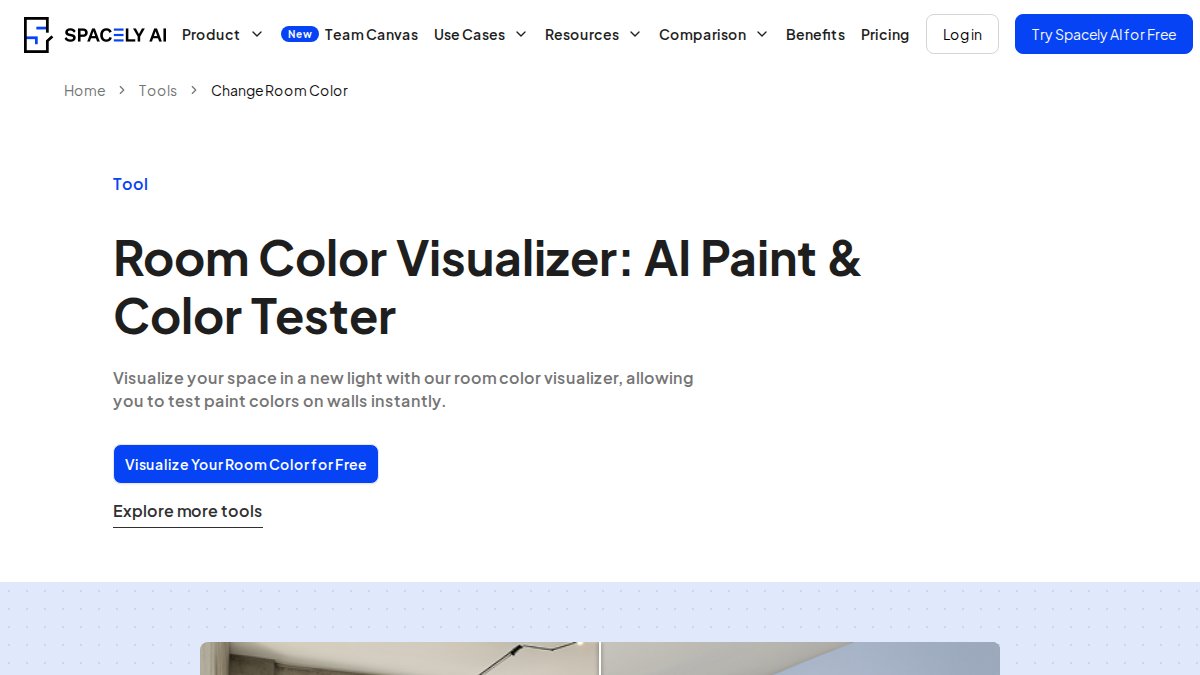
The HEX and RGB color matching feature is the standout capability. Match any paint color from a reference photo or fabric swatch, then see it applied to your walls simultaneously.
Pros:
- Smart surface segmentation for precise wall selection
- Matches colors from photos or HEX/RGB codes
- Freemium model for one-off projects
Cons:
- Focused on color and paint, not broader decor elements
7. Phygital.plus, Best for Custom Furniture Concept Visualization
Phygital.plus generates design-ready visuals from text prompts or reference photos, specifying materials, dimensions, and style direction. It targets professionals rather than hobbyists.
For designers specifying custom furniture for client projects, the ability to iterate on visual concepts before fabrication costs is a genuine workflow improvement.
Pros:
- Generates design-ready furniture visuals from text prompts
- Supports specification of materials, style, and dimensions
- Useful for rapid concept iteration
Cons:
- Non-transparent pricing
- Steeper learning curve for prompt engineering
- Aimed at professionals
Using an AI Room Planner for Floor Plan Layouts and Spatial Planning
An AI room planner uses machine learning to generate or optimize floor plan layouts based on room dimensions, furniture specifications, and spatial constraints. Most tools operate from uploaded photos or sketches rather than requiring precise CAD input, making them accessible to homeowners without technical training.
Spatial planning is where AI tools still have limitations. Generating a photorealistic render is not the same as producing a structurally accurate floor plan. For actual renovation planning, verify any AI-generated layout against your room's real measurements. The most practical workflow: use an AI room planner to generate 3-4 furniture placement options from a photo, then use Spacely AI to test paint options against the preferred layout. According to the National Association of Realtors' research on home staging, staged homes tend to sell faster and at better prices.
Virtual Home Staging AI: How It Works and When to Use It
Virtual home staging AI digitally furnishes and decorates an empty or sparsely furnished space using AI-generated rendering, producing photorealistic images without physically moving or purchasing furniture.
The technology combines style transfer and image generation. The tool identifies surfaces, dimensions, and lighting conditions, then overlays furniture and decor matching the selected design style. Remodel AI's 10-to-30-second generation time reflects improved rendering efficiency.
When virtual staging makes sense:
- Real estate listings where physical staging costs are prohibitive
- Rental property marketing before tenants move in
- Renovation planning to visualize finished results
- Content creation for home decor channels
Virtual staging produces aspirational images, not purchasing guides. Tools like Vireous.Shop address this gap on the wall art side, connecting AI-generated visuals to physical products that ship to your door.
Choosing the Right AI Home Design App: Hobbyist vs. Professional Needs
The gap between hobbyist and professional AI home design tools is real.
Hobbyist users need a fast, low-friction way to visualize a change before purchase. Spacely AI for paint colors, NightCafe for wall art ideas, and Ideal House for material swaps fit this profile. Free or freemium pricing means low experimentation costs.
Professional users including interior designers, real estate agents, and content creators need tools that integrate into repeatable workflows, produce client-ready output, and connect to physical product sourcing. Remodel AI's subscription makes sense for agents staging multiple listings monthly. Vireous.Shop's private label options and same-day dispatch work for creators producing branded merchandise.
| User Type | Recommended Tools | Key Priority |
|---|---|---|
| Homeowner - DIY | Spacely AI, Ideal House Visualizer | Low cost, realistic previews |
| Gift shopper | Vireous.Shop | Fast turnaround, custom output |
| Content creator | Vireous.Shop, NightCafe | Brand consistency, physical product |
| Interior designer | Remodel AI, Canva AI Styler | Client presentation quality |
| Real estate agent | Remodel AI | Speed, multiple staging styles |
| Furniture designer | Phygital.plus | Custom concept visualization |
AI Color Palette Generator Tools for Cohesive Interior Color Schemes
An AI color palette generator analyzes input images, HEX codes, or text descriptions to produce harmonious color combinations optimized for a specific space.
Spacely AI is the strongest dedicated option for room-specific color planning. Smart segmentation detects individual surfaces, so you can apply one color to walls, a different tone to the ceiling, and a third to cabinetry within the same preview. The ability to match colors from reference photos solves a practical problem: find a color you like, photograph it, and the tool identifies the closest paint match.
For broader aesthetic consistency across an entire home, color palette work should precede furniture or decor purchases. According to the Color Marketing Group's guidance on color psychology in interiors, color selection significantly influences perceived room size, mood, and how natural light reads throughout the day. AI tools that account for lighting simulation are meaningfully more accurate than flat color swatches.
Bridging AI Designs and Real Purchases: Integration with Physical Shopping
Generating a beautiful AI render is a starting point, not an outcome. The real value of any AI home design workflow depends on how efficiently it connects digital design concepts to physical products you can acquire. Most tools stop at the render.
Practical strategies for closing that gap:
- Wall art: Vireous.Shop connects generation directly to production. Describe your design, DALL-E 3 produces the image, and the platform prints and ships it. Same-day or next-day dispatch means turnaround from concept to physical product is measured in hours.
- Paint colors: Spacely AI's HEX/RGB output maps directly to paint brand codes. Take the color code to any hardware store for a color match.
- Furniture: Phygital.plus generates concept visuals useful for briefing custom fabricators but does not link to retail inventory.
- Materials: Ideal House allows custom swatch uploads, so you can photograph a tile or flooring sample from a showroom and preview it in your actual room before purchasing.
Before uploading home photos to any AI tool, review the platform's data retention and usage policies. Some tools use uploaded images to train models, raising data ownership questions. the Federal Trade Commission's guidance on data privacy and consumer rights provides a useful framework for evaluating what platforms can do with user-submitted content.
The best ai tools for custom home decor function as a bridge, not a destination. A render that stays on your screen has zero impact on your actual living space. Tools that close the loop between digital visualization and physical product delivery are worth building into your design workflow.
Most homeowners and creators have experienced the same frustration: a design concept that looks perfect on screen but never makes it onto a wall. Vireous.Shop solves that specific problem by combining DALL-E 3 image generation with made-to-order printing and same-day or next-day dispatch, so your AI-generated design concept becomes a physical canvas print without a separate vendor or production step. The private label options and Money Back Guarantee make it viable for both personal decor and creator merchandise. Customize your first piece at Vireous.Shop and see how quickly a prompt becomes a product.
Frequently Asked Questions
What are the best AI tools for interior design and custom home decor?
The best AI tools for custom home decor depend on your goal. For generating unique wall art from text prompts, Vireous.Shop and NightCafe stand out. For virtual staging and room redesign, Remodel AI offers fast photorealistic results. Spacely AI excels at color palette visualization, while the Ideal House Room Visualizer is ideal for previewing flooring and material changes. Most tools offer free tiers or trials so you can test before committing to a paid plan.
Are there free AI home design apps I can try before paying?
Yes. Several AI home design apps offer free entry points. NightCafe provides free credits for AI art generation. Spacely AI and Ideal House both offer free-to-try freemium models for their room visualizer and wall art tools. Remodel AI includes three free designs on its free tier. Venngage's AI wallpaper generator also has a free sign-up option. Paid plans unlock higher usage limits, premium styles, and higher-resolution exports across most platforms.
How does an AI color palette generator help with home decor decisions?
An AI color palette generator lets you upload a photo of your actual room and preview different paint colors, accent tones, and complementary schemes in realistic lighting conditions before spending a dollar on paint. Tools like Spacely AI can match colors from a reference photo or a HEX code, suggest harmonious combinations, and apply them to walls, ceilings, and furniture simultaneously, eliminating the guesswork that leads to costly repainting mistakes.
Can AI home decor tools replace a professional interior designer?
AI home decor tools are powerful for visualization, iteration, and inspiration, but they do not replace the strategic judgment of a licensed interior designer, especially for structural changes, accessibility compliance under the Americans with Disabilities Act, or complex spatial planning. Where AI excels is in rapid design prototyping, mood board creation, and helping homeowners communicate their vision clearly before a professional consultation, which can actually reduce overall design costs.
How do I turn an AI-generated home decor design into a real physical product?
Platforms like Vireous.Shop bridge this gap directly. Once you generate a custom design using DALL-E 3 via natural language prompts, you can order it as a printed canvas, framed wall art, or apparel with same-day or next-day dispatch. For other AI tools that only produce digital images, you would need to export the file at high resolution and work with a separate print-on-demand service to produce a physical item, adding extra steps to your workflow.
This article was written using GrandRanker